Key takeaways
- A packaging reorder can fail even when the shoe is unchanged.
- Treat packaging as a controlled system from in-shoe protection and unit box through retail data, master cartons, and archived reorder files.
- This checklist shows what to freeze, who approves it, and which photos or records should return before print and shipment release.
A packaging reorder can fail even when the shoe is unchanged. One wrong barcode, obsolete artwork file, or unapproved pack-out can affect a full SKU range.
Treat packaging as a controlled system from in-shoe protection and unit box through retail data, master cartons, and archived reorder files.
This checklist shows what to freeze, who approves it, and which photos or records should return before print and shipment release.
Define the packaging system before artwork starts
Artwork cannot fix an undefined packaging system. First decide what touches the shoe, what the customer sees, what the warehouse scans, and what the carrier handles. Each layer needs an owner and an approval record.
Unit, inner, and master-pack scope
| Layer | Buyer decision | Proof before approval | Failure controlled |
|---|---|---|---|
| In-shoe protection | Shape support, surface protection, and pair orientation | Packed sample and unpacking photos | Creasing, rubbing, deformation, or mixed pairs |
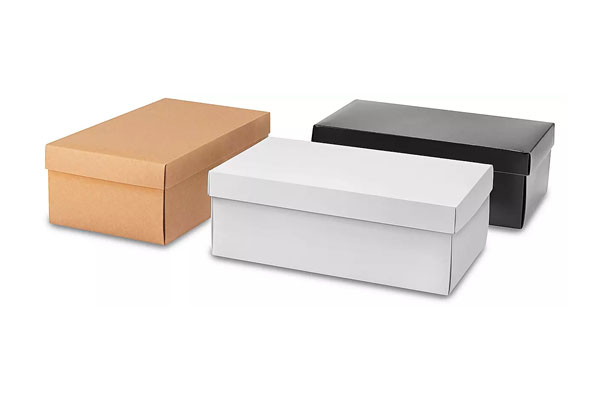
| Unit box or bag | Structure, size, closure, label area, and customer presentation | Dieline, blank sample, printed proof, and packed-product fit | Wrong fit, crushed product, or unreadable retail data |
| Inner pack | Grouping, separation, and handling method | Pack-out diagram and count check | Size or color mixing inside a shipment |
The RFQ should also cover the master carton, which controls warehouse rejection, count disputes, or transit damage.
Market, channel, and sustainability constraints
Record the selling country, language, retail channel, barcode owner, recycling or material request, and any marketplace label before design begins. These are buyer inputs, not assumptions for the factory. If a sustainability or compliance claim will appear on pack, request the exact evidence and scope before the artwork is approved.
Packaging lead time can change when structure, print, labels, or market copy remain open. Confirm the packaging approval schedule only after those inputs and the packed-product sample route are clear.
Lock retail labels, barcodes, and unit-box data
Retail data should come from one approved SKU master. Artwork is the presentation layer; it must not become a second, independently edited product database.
SKU-to-label control table
| Data field | Buyer-owned source | Factory check | Risk if mismatched |
|---|---|---|---|
| SKU, model, color, and size | Approved color-size master | Match product, unit label, box label, packing list, and carton | Correct product ships under the wrong sellable identity |
| Barcode | Number owner and approved assignment | Human-readable value and scan result on the final print size | A valid code points to the wrong SKU or fails at retail |
| Market copy and language | Approved market-specific copy | Placement, legibility, revision, and affected SKUs | Old language or unsupported wording reaches a new market |
The RFQ should also cover material, care, or claim text, so the packaging does not promise more than the evidence supports.
Proof and scan approval
Review a rendered proof first, then approve a physical printed sample at production size. Check barcode quiet space and scan behavior using the buyer’s required workflow, but keep the actual number assignment under the stated owner. Record proof revision, approver, date, printer or process, material, finish, and the SKU list it controls.
Any change to product identity, market copy, size range, label position, structure, or print process should reopen the affected proof instead of being patched on the production file.
- Export the current SKU master and freeze the rows covered by the proof.
- Generate labels and box data from that source, then check every visible field against it.
- Print at production size and verify legibility, placement, scan behavior, material, and finish.
- Return the signed proof, scan record, affected SKU list, and revision to the factory release folder.
Hold production if the supplier cannot reproduce the same file, print setup, or verification result.
For the next buyer route, review private label barefoot shoes for ecommerce sellers before closing the RFQ or approval record.
Packaging handoff
Send the component list, market data, barcodes, artwork revisions, packed sample needs, and carton route for packaging review.
Control artwork versions and approval ownership
One approved file set should control every printed packaging component. The factory should not have to decide whether the buyer means the latest email attachment, a shared-drive file, or the artwork used on the last order.
Dielines, color references, and file naming
- Give each box, label, tag, insert, and carton mark its own component code.
- Store the approved dieline with dimensions, folds, cuts, bleed, material, and print area.
- Use a named color reference or approved physical target where color matters.
- Name the file with brand, SKU or range, component, revision, and approval date.
Link the print proof to the packed sample so the file and physical result cannot drift apart.
| Component | Controlled file | Approval evidence | Common error |
|---|---|---|---|
| Unit box | Dieline, artwork, material, and finish record | Printed proof plus packed-product fit | Correct graphics on an old structure |
| Retail label | SKU data, barcode, size, color, and placement | Readable proof and scan result | Artwork approved while product data is still changing |
| Insert or hang tag | Copy, language, material, hole or fold position | Physical sample and copy sign-off | Old care text carried into a new market |
The RFQ should also cover carton marks, where a common error is unit data and shipping data pulled from different versions.
Approver, timestamp, and superseded files
Name one accountable approver for the final set. Record the date, revision, and affected SKUs. Move superseded files out of the production folder and keep them only in a history archive. A correction becomes active only after the buyer and factory acknowledge the same revision.
The risk is a factory printing a valid-looking file that is no longer the approved production version. Verify the active revision with the factory before each print release.
For the next buyer route, review barefoot shoes product route before closing the RFQ or approval record.
Validate pack-out, master cartons, and shipping proof
Approve packaging around a real shoe, not an empty box. The pack-out sample should show how the pair is shaped, protected, labeled, grouped, counted, and placed into the master carton.
Pair protection and packing orientation
Check toe and heel support, surface-to-surface contact, tissue or bag placement, accessories, desiccant if specified, and how the pair sits when the box is handled. Ask for photos from the same angles on the approved sample and first packed production output.
Carton marks, quantities, and photo evidence
- Match unit labels to the color-size packing list.
- Verify pairs per carton and the sequence used to count them.
- Approve carton marks before printing the production run.
- Record closed-carton dimensions and weight from the packed sample.
Keep photos of the open carton, layer arrangement, count label, marks, and sealed carton.
The photo set is evidence of one approved pack-out, not proof that every production carton matches. Pair it with in-process count checks and a final shipment inspection plan.
The risk is that one photographed carton is treated as proof for the full shipment. Keep the photo set beside the production count checks and final inspection scope.
For the next buyer route, review blog before closing the RFQ or approval record.
Preserve reorder files and manage packaging changes
A reorder should start from a controlled release pack, not from the last email thread. Keep current production files separate from history and link every physical packaging reference to its active revision.
Approved archive and reorder release
- Component list with codes for in-shoe materials, unit pack, labels, inserts, inner packs, and master cartons.
- Current dielines, artwork, market copy, barcode assignment, color references, material, print, and finish specifications.
- Approved printed proofs, packed-product sample ID, pack-out diagram, carton specification, marks, and photo set.
- SKU applicability, approver, date, supplier acknowledgment, deviations, and the purchase orders that used the release.
Change request and mixed-version prevention
Reopen the approval when a change affects shoe dimensions or pack method (the old box can damage or misrepresent the new product); market, copy, barcode, or SKU (old and new retail identities can mix); or material, print, or finish (a visually similar substitute can behave differently in production).
A supplier or printer change also needs review, because a transferred file is not a transferable result.
Release the reorder only after the buyer and factory acknowledge the same file set and every cost or timing effect has been reflected in the current quote.
In conclusion
A packaging reorder is ready when the physical pack-out and the archived files agree. Confirm the component list, dielines, retail data, barcodes, labels, artwork revisions, packed sample, carton specification, marks, and photo evidence before print or shipment release.
Record every change against the affected SKU and retire the superseded file from the production folder. If product dimensions, market copy, or packing method changed, reopen the relevant approval instead of calling the order an unchanged repeat.
The matching factory route is custom barefoot shoe development because it connects dielines, artwork, packed samples, and order release. Send the controlled packaging set for review and request a current quote that identifies any structure, material, print, finish, setup, packing, or schedule cost driver.
The risk is releasing an obsolete file or missing a commercial change before print. Close the active revision, approver, affected SKUs, physical proof, and quote assumptions before authorizing production.
Barefoot shoe packaging private label reorders FAQ
Who should own the barcode numbers?
The brand or retailer should state who licenses and controls the barcode numbers. The factory should print only the approved data. Record the barcode, SKU, product description, size, color, market, and placement together, then keep the scan result with the artwork approval.
When should a packaging sample be approved?
Approve it after the structure fits the actual shoe and the print, labels, inserts, packing method, and carton assumptions are stable. If product dimensions or retail data change later, reopen the affected packaging approval instead of editing a production file silently.
What belongs in a pack-out photo set?
Include the empty packaging components, protected pair, unit label, open unit box, closed unit box, inner grouping if used, open master carton, layer arrangement, carton count label, shipping marks, and sealed carton. Keep the photo set with the order and packaging revision.
Discuss packaging scope through the private-label customization route before releasing artwork.
Verify the barcode, packaging sample, and pack-out record against the approved SKU list. The buyer follow-up is to attach those records to the reorder release.
Procurement note: Provide the component list, SKU master, barcode ownership, dielines, artwork revisions, packed-sample requirement, and destination data for packaging review. Contact the team.
Primary references
These sources define the test methods and regulatory context referred to in this article.
- GS1 — Barcode standards — GTIN and barcode standards used to identify retail products and logistics units.
- EU Directive 94/11/EC — Footwear material labelling — Labelling rules for upper, lining and sock, and outersole materials sold to EU consumers.
- U.S. FTC — Leather Guides, 16 CFR Part 24 — Guidance against misleading leather, imitation-leather and waterproof claims.
Leave a Comment
Ask a sourcing question, add your view, or request follow-up from our team.